How ZapFile Works
No login. No signup. No app. No file size limits. ZapFile is the simplest way to send any file — or an entire folder — to anyone, straight from your browser, in four steps.
No Login
Not even optional.
No Signup
Zero account creation.
No App
Any browser, any device.
No Size Limit
Send anything, any size.
Four Steps. That's It.
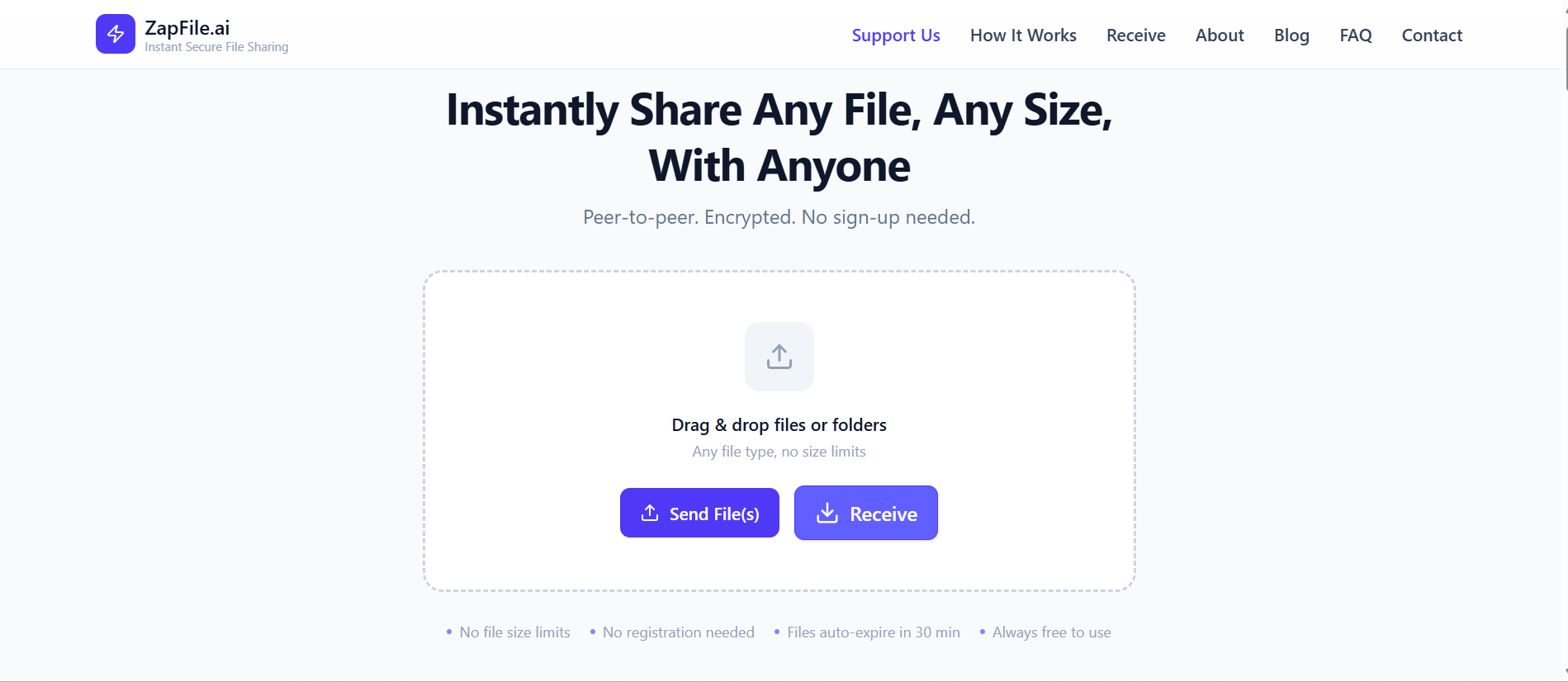
Select your files or folders — any type, any size
Go to zapfile.ai in any browser. Drag and drop files or entire folders directly onto the page, or click Browse / Send Folder to pick them from your device. Any file type works — documents, videos, zip archives, design files, raw photos, anything.
There is no file size limit. Send a 500 KB PDF or a 50 GB video project — ZapFile handles both the same way. When you send a folder, its structure is preserved exactly — subfolders and all — and shown as a collapsible tree before you upload. Large files are automatically split into chunks and uploaded in parallel so your transfer is as fast as your connection allows.
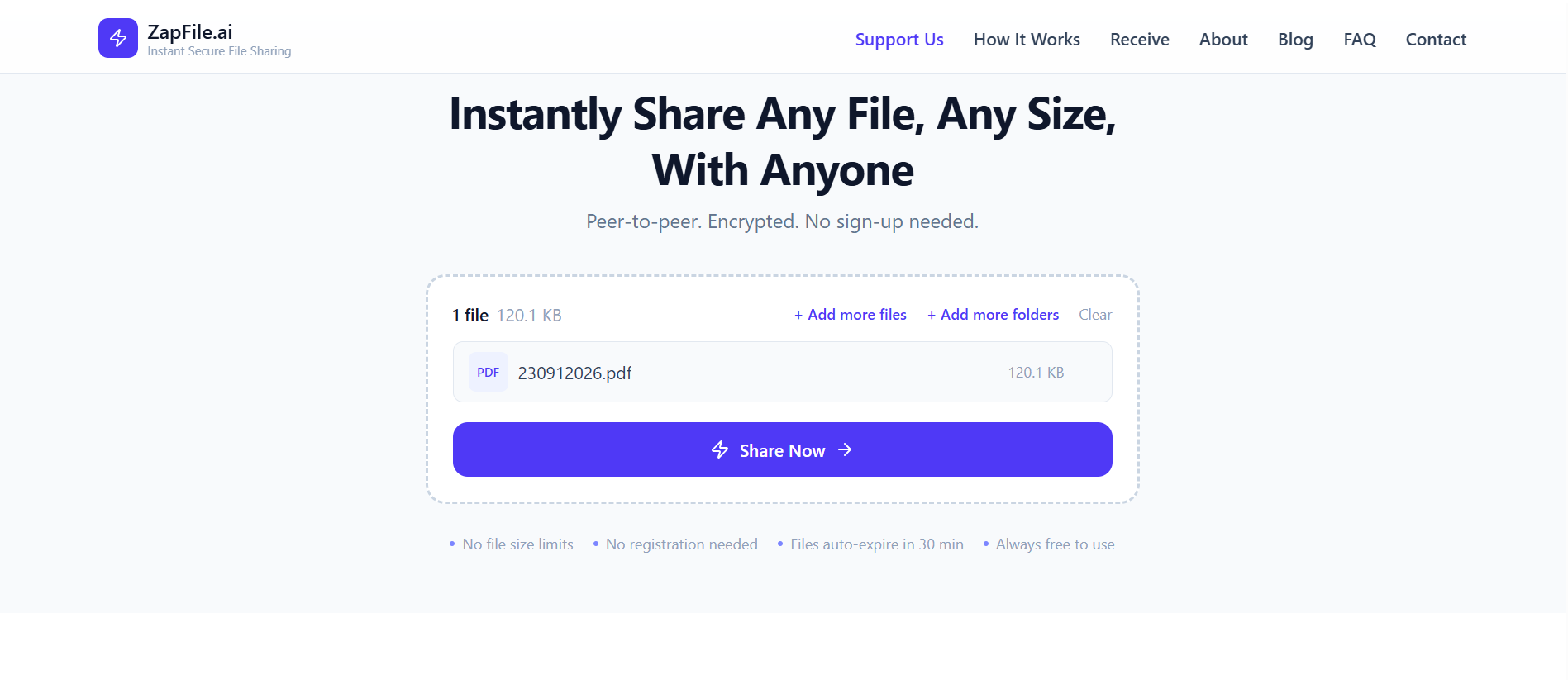
Files are encrypted and uploaded instantly
The moment you select your files, ZapFile starts uploading immediately. You can watch the progress in real time. Encryption happens automatically — your files are protected with TLS in transit and AES-256 at rest without you doing anything.
Your files are not tied to any account, email address, or identity. We have no idea who you are, and we designed it that way on purpose.
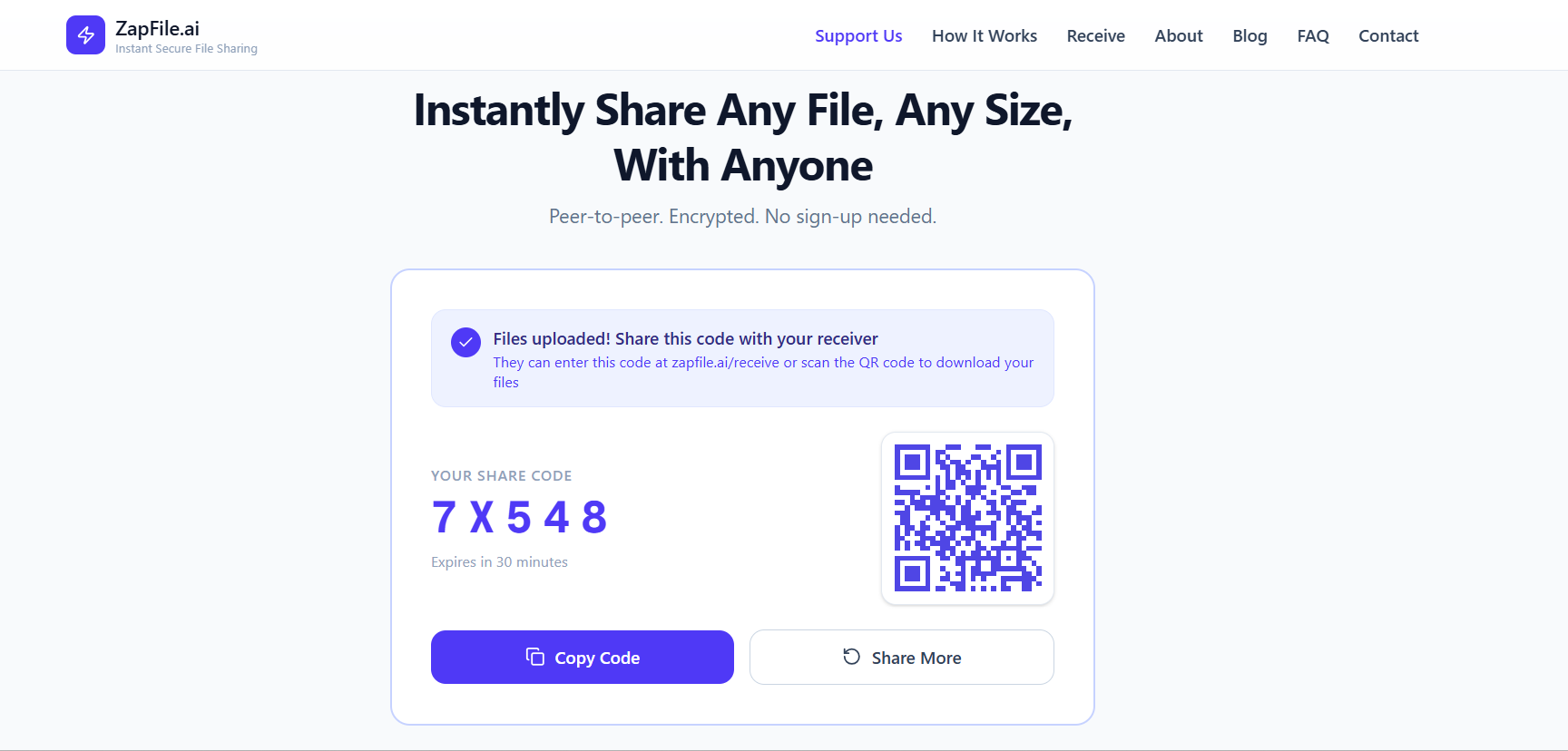
Get a 5-digit code — share it any way you like
Once the upload completes, ZapFile generates a unique 5-digit code — for example, AB3D7. That code is all your recipient needs.
Share it however makes sense: send it in a text, paste it into an email, read it out loud, or let ZapFile generate a QR code for in-person handoffs. No link hunting, no expiring URLs to manage. The code is cryptographically random and unique to your transfer — it cannot be guessed.
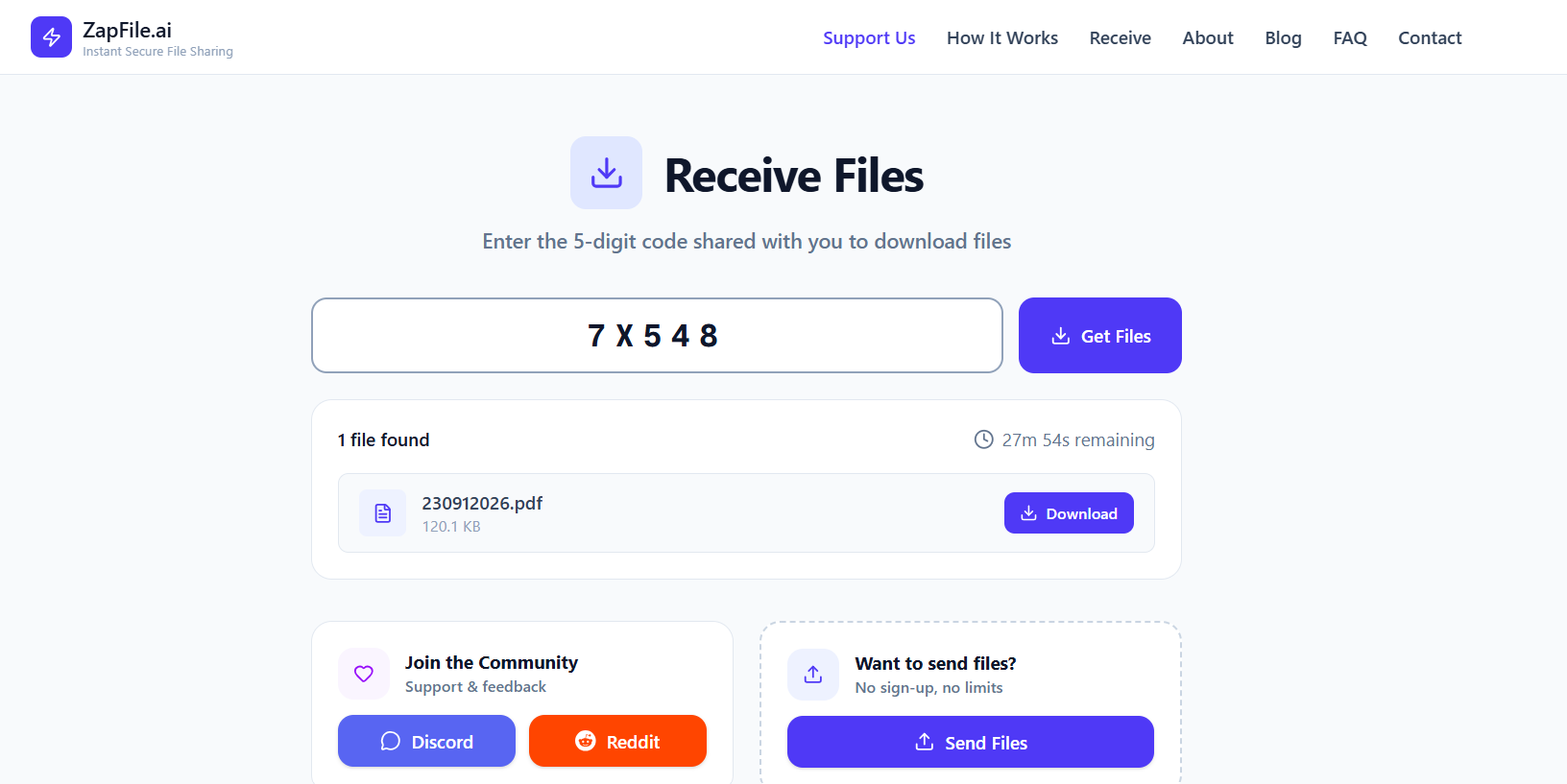
Recipient enters the code — browses and downloads instantly
Your recipient opens zapfile.ai in any browser — on their phone, laptop, or tablet. They type in the 5-digit code and see the full file list, with any folders shown as a collapsible tree matching exactly what was sent. No account. No app. No sign-up prompt.
On supported browsers they can hit Save to Device to write every file straight to disk with the original folder structure recreated — no zip involved — or use Download All (.zip) for a single archive instead. Once the download is complete, the files are automatically and permanently purged. Nothing is retained.
Security & Privacy — Built In, Not Bolted On
Privacy is not a setting you turn on — it is how ZapFile works by default. Every decision in the architecture was made to minimise what we hold and maximise what stays yours.
Encrypted in transit
All uploads and downloads travel over TLS — the same standard used by banks and governments. Your file is protected the moment it leaves your device.
Encrypted at rest
While your file is staged for transfer it is protected with AES-256 encryption. Industry standard. No exceptions.
No account, no identity
We collect no name, email, or personal information — from sender or recipient. There is nothing to link a transfer back to you.
Purged after transfer
Files are automatically and permanently deleted once the download completes. Not archived. Not analysed. Gone. Data that doesn't exist cannot be breached.