How to Send Files Without Login: Why Account Requirements Are a Scam
Here is what is technically required to transfer a file from one device to another over the internet: a connection, a protocol, and two browsers. That is the complete list. An account is not on it. An email address is not on it. A password is not on it. A billing relationship is not on it.
Account requirements in file sharing tools exist entirely for the benefit of the service, not you. Your email address is worth money to them — for marketing, for segmentation, for demonstrating user base size to investors, for building a behavioral profile that informs product decisions and potentially revenue streams. The account requirement is a business decision disguised as a technical necessity. Once you understand this, the patience for it evaporates.
Also readHow to Send Files Privately Online: What Privacy Actually Requires →What "No Login" Services Actually Do With Your Data (Even Without an Account)
Before getting to the tool list, worth being clear: "no login required" doesn't mean "no data collected." Even genuinely account-free services collect some data. Understanding what and why helps evaluate which services deserve trust.
IP address logging: Every server logs your IP address — technically required to route responses back to you. The question is how long it's retained and whether it's linked to anything identifiable. Without an account, an IP log is a connection event with no name attached to it. With an account, every IP log entry is attributed to your identity permanently.
Transfer metadata: File size, file type (from extension), timestamp, browser type, geographic region from IP. This exists even without account data. On an accountless service, this metadata is an anonymous behavioral record. On an account-based service, it becomes part of your permanent profile.
Third-party analytics: Many file sharing services embed Google Analytics, Mixpanel, or similar tools that track page behavior and send it to third parties. This happens whether or not you have an account. Open the browser's developer tools Network tab on any file sharing service and observe which domains receive requests. Google Analytics embeds are common even on services with strong first-party privacy commitments.
The cleanest no-login experience from a data perspective: services that auto-delete file content after delivery. Zapfile combines no accounts with no persistent file storage. Zapfile's infrastructure logs connection metadata (IP addresses, timestamps, file name and size). No user profile exists because there's no account to attach one to. No file content persists after the recipient downloads. This is the minimum data collection compatible with a functional internet-based file transfer service.
The Genuine No-Login Tools
Zapfile: No account, no server copy, no size limit
Open zapfile.ai in any browser. Drop a file. Copy the link. Send it to your recipient however you normally communicate. They open the link. Download. Done. Neither party sees an account creation form, an email field, a password prompt, or an upsell modal blocking the download button. The file is encrypted in transit (TLS) and at rest (AES-256), then permanently deleted from Zapfile's infrastructure the moment the recipient downloads it.
The workflow is genuinely two steps fewer than the Google Drive alternative: no upload step (file stays on your device), no permission configuration step. You can complete the entire setup in under 60 seconds including finding the file on your computer. The recipient's experience is one click — open link, click download.
Related guideSecure File Transfer Without Cloud Storage: Every Method That Works→The recipient doesn't need to be online when you upload — the link stays active until they download, then the file is permanently deleted. There's no session to maintain and no tab to keep open.
WeTransfer: No account for basic transfers, clean recipient experience
WeTransfer's free tier allows file delivery without a sender account if you use the direct link option — paste your email into the "Your email" field or skip it by choosing to copy the link directly rather than having WeTransfer email it. Recipients need no account regardless. Files auto-expire after 7 days. 2GB free limit. Clean, professional download page with no sign-in wall before the download button.
I want to flag that WeTransfer's "no account" experience has some asterisks. They do ask for an email address in some workflows. The free tier includes WeTransfer branding and occasionally prompts account creation below the download button (non-blocking, but present). If you choose the link-copy option rather than email-to delivery, the experience is cleaner.
Wormhole: No account, E2E encrypted, 10GB
Wormhole.app requires no account from sender or recipient. Files are E2E encrypted client-side before leaving your device — Wormhole's servers hold only ciphertext. 10GB limit, 24-hour auto-expiry. The download experience is clean with no account prompts. For cases where "no account" and "E2E encrypted" both matter, Wormhole fills the gap that Zapfile's synchronous-only requirement leaves.
Smash: No account, no size limit
Smash is account-free with no file size limit on the free tier. 14-day expiry. The download page includes some upsell prompts (below the download button, not blocking). Download speeds on the free tier are throttled. For large files that exceed WeTransfer's 2GB limit where the recipient doesn't need the file urgently, Smash is a legitimate option.
PairDrop and LocalSend: No account, no internet, same network
For devices on the same WiFi network, PairDrop (browser-based) and LocalSend (native app) provide account-free, internet-free, server-free file transfer at full local network speeds. Nothing is logged anywhere except potentially your own router's traffic logs. For the specific scenario of transferring between your own devices or between people in the same location, these are the cleanest possible options.
The Patterns That Look Like No-Login But Aren't
"Sign in with Google." This is account-based login via Google's OAuth. The service receives your Google profile email, a persistent user identifier, and any profile data you've authorized. You still have an account — it's just authenticated through Google rather than a service-specific password. Your file sharing behavior on that service is permanently linked to your Google identity. "No registration required" when the only option is OAuth is misleading.
"No account for the first file, account required after." A common pattern: the first transfer is account-free as a hook. The second or third transfer, or once you exceed a file size threshold, hits a login wall. You've invested time in the service and the file may already be uploading when you discover this. Read the actual limits before committing to a tool for any important transfer.
"Recipient doesn't need an account, but sender does." Many services describe themselves as "no account required" from the recipient's perspective. The sender still needs an account. If you're the sender, "no account required" in the marketing doesn't apply to you. This is technically accurate (recipients don't need accounts) and functionally misleading for the person looking for a frictionless sending experience.
"Free tier is account-free, but useful features require login." The 100MB no-account tier exists to demonstrate the product. Transfers that actually matter — the 500MB video, the 2GB project folder — are gated behind account creation. Find this out by checking the actual size limit of the no-account tier before starting your transfer.
The Recipient Experience: Equally Important and Often Overlooked
The friction calculation for file sharing is typically done from the sender's perspective: "how much work is this for me?" But recipient friction matters equally — maybe more, because the recipient didn't choose to receive a file, they were asked to receive one, and their experience of the process reflects on you.
Sending a client their deliverables via a service that prompts them to create an account before downloading is adding friction to a professional interaction. Your client is doing you the favor of receiving the work you're delivering. Making them create an account as a condition of receiving it is friction they didn't ask for and you could have avoided.
Sending photos to a family member who isn't particularly technical via a service with a confusing download interface or an account prompt before the download button creates a support call you'll have to field.
True no-login services eliminate friction for both parties. Open link. Download. That's the complete recipient experience on Zapfile and WeTransfer (free tier). The link just works. No sign-in wall. No "create a free account to download" prompt before the button. One click from link to file.
Also readShare Files With Zero Compression and Zero Tracking →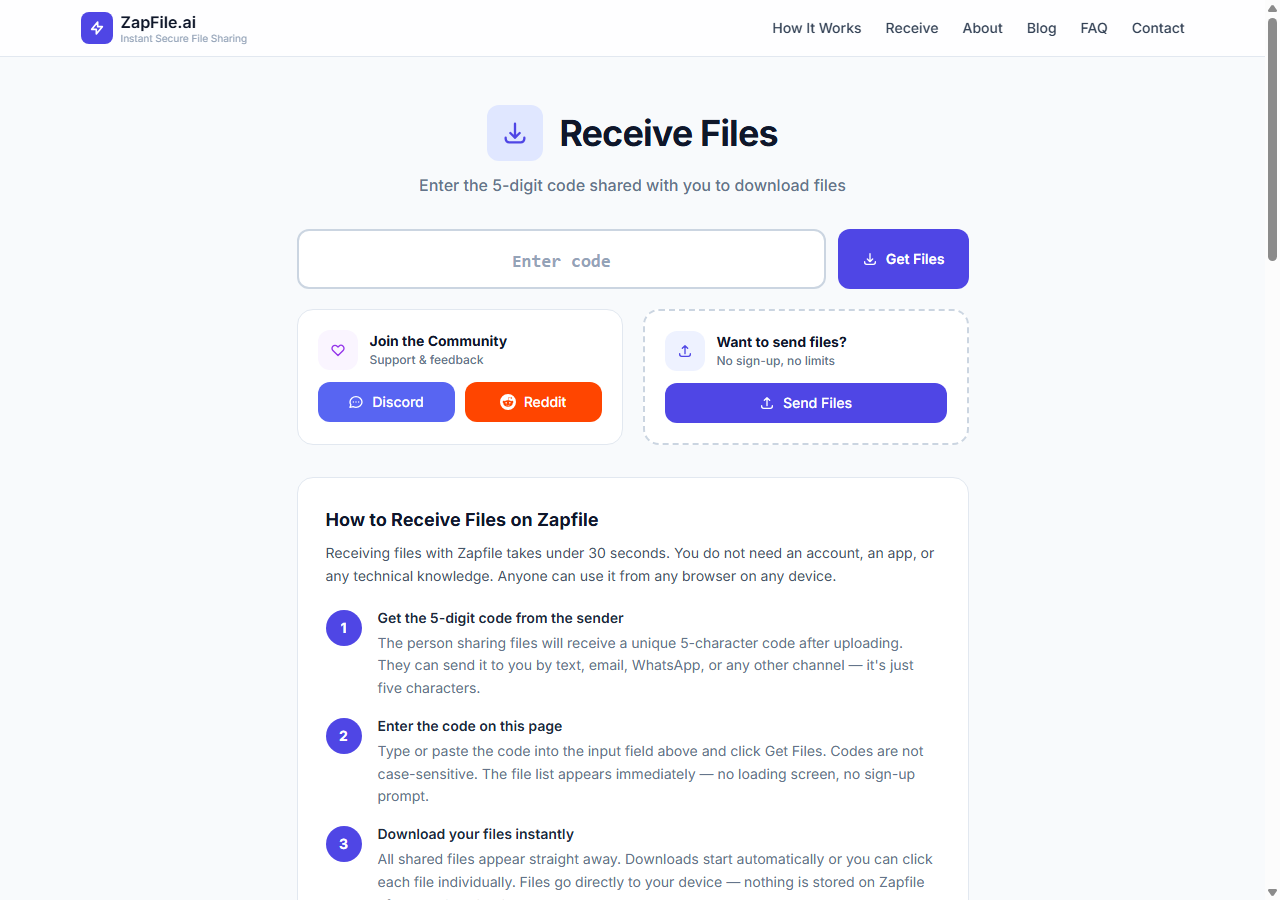
The Default Worth Building
Replace "open Google Drive" with "open Zapfile" for any transfer where the recipient is available now. The recipient experience is identical — they click a link and get the file. What's different is everything that doesn't happen: no upload to Google's servers, no content scanning, no storage quota consumed, no permanent link sitting in your Drive, no account required from either party, no file existing anywhere after the transfer ends.
For async transfers, WeTransfer is a direct replacement for Google Drive links in emails — same recipient experience (click link, download), better default behaviour (auto-expires in 7 days vs permanent), no account required from the recipient. The only thing that changes is which service hosts the file temporarily, and WeTransfer's auto-expiry is a meaningful improvement over Drive's permanent retention for one-time transfers.
Account-free file transfer isn't a technical limitation you have to live with or a privacy extreme that requires special tooling. It's the correct default for a task — delivering a file to a specific person — that never required an account in the first place.
Tags

Tanuja Chinthati is the Content and Marketing Lead at ZapFile, based in Ontario, Canada. With a background in Electronics and Communication Engineering, she writes about privacy-first file sharing, secure data transfer, and digital privacy — making complex security concepts accessible to everyday users.
View all articles →